

Introduction: Understanding Malware
Malware or malicious software, is a type of harmful software designed to infiltrate computers and other devices without the user’s consent. Often masquerading as legitimate applications, such as antivirus programs, malware tricks users into installing it on their devices. Once in place, it can perform a wide range of malicious activities, from stealing sensitive data to converting the device into a botnet zombie.
Malware can be categorized based on its function or its installation method:
- Functional malware: This type of malware executes specific actions on the infected device.
- Installation malware: This malware variant focuses on installing itself onto the target device.
Different Types of Malware

Malware comes in diverse forms, each with a unique purpose. For instance, spyware collects user information, while ransomware encrypts data and demands payment in exchange for the decryption key. By understanding the different types of malware, users can better protect their devices and data from potential cyber threats.
- Viurs
- Worm
- Trojan Horse
- Rootkits
- Ransomware
- Grayware
- Keylogger
- Fileless Malware
- Adware
- Malvertising
- Spyware
- Bots and Botnets
- Backdoor
- Browser Hijacker
- Crimeware
- Mobile Malware
- RAM Scraper
- Rogue Security Software
- Logic Bomb
- Crypto-jacking
- Hybrid Malware
Virus: Network Infiltrator
A computer virus, as a form of malware, infiltrates systems and forces them to perform unwanted actions. Typically transmitted via email, social media, or file-sharing platforms, viruses can also enter your device when visiting compromised websites or downloading infected files.
While these malicious software pieces can replicate and propagate, they require human intervention or application infiltration to execute.
Worm: Network Propogator
Another malware type, the computer worm, can self-replicate and transmit from one device to another, exploiting vulnerabilities in operating systems or targeted software.
Designed to capitalize on specific weaknesses, worms spread rapidly and may be employed for nefarious purposes, such as data theft or service disruption. Unlike viruses, worms do not require human interaction to initiate.
Trojan Horse: Disguised Data Stealers

Disguised as legitimate programs, computer trojans represent a deceptive form of malware. Installed without user knowledge, trojans can pilfer sensitive information, such as passwords and credit card details, or corrupt and destroy computer data.
In essence, a trojan horse may infiltrate your system and steal personal data or damage files without your awareness.
Rootkits: Stealthy Malware Threats
Rootkits represent a sneaky category of malware, designed to conceal the presence of other malicious software on a computer.
Cybercriminals often employ rootkits to access computer systems and subsequently install various types of malware. These deceptive threats can infiltrate systems via email attachments, harmful websites, or even contaminated USB drives.
Detecting rootkits proves challenging, as they skillfully hide from operating systems and antivirus programs. Moreover, rootkits can manipulate the operating system’s behavior to avoid displaying any infection indicators.
Ransomware: Holding Data Hostage
Ransomware constitutes a malicious software type that encrypts victims’ data and demands payment for decryption. Typically, cybercriminals request cryptocurrency payments, such as Bitcoin, to maintain anonymity. In 2016, the dark web hosted over 4,000 distinct ransomware strains, resulting in more than 645,000 daily attacks.
Crysis ransomware exemplifies this category, encrypting user data and displaying a ransom-demanding message.
Grayware: The Annoying Malware
Grayware, although less harmful than viruses or Trojan horses, still causes user inconvenience. This malware category can steal user information, monitor activities, or even damage computers. Unlike viruses, grayware lacks the ability to infect other machines, but remains problematic for affected users.
Keyloggers: Stealthy Monitoring Tools

Keyloggers, a type of malicious software, discreetly install on devices to capture users’ keystrokes. Frequently employed by hackers to swipe passwords and sensitive data, keyloggers also serve parents and employers in overseeing their children’s or employees’ online activities.
Fileless Malware: Elusive Threats
Fileless malware operates without leaving a trace, utilizing a computer’s memory to execute its code instead of relying on files. Cybercriminals often use this undetectable and challenging-to-remove malware to bypass antivirus software, posing a significant threat to users.
Adware: Intrusive and Unwanted Advertising
Adware is a type of malware that bombards users with unsolicited ads on their devices. Typically installed without the user’s consent or downloaded from compromised websites, adware disrupts users’ browsing experiences with irrelevant product promotions and potentially harmful site redirects. Furthermore, adware tracks users’ online habits, transmitting the data to third parties.
Malvertising: Unleashing Malware Through Online Ads
Malvertising, a malicious form of online advertising, infiltrates computers by distributing malware through ads on credible websites or hacked sites. This deceptive technique utilizes ad banners, pop-up windows, and video ads to infect devices with harmful software.
Spyware: Stealthy Surveillance Software
Spyware is a clandestine type of malware that infiltrates devices without the user’s consent, enabling remote monitoring and control. Obtained through infected websites or by clicking on tainted email attachments and links, spyware has evolved significantly over the years.
Nowadays, cybercriminals employ spyware to pilfer sensitive data, including credit card information and passwords, as well as to monitor users’ browsing habits and gather location data.
Bots and Botnets: Covertly Controlled Devices

A bot is a device infected with malware that allows remote control by unauthorized parties. When multiple devices become compromised, they form a botnet – a network of computers, smartphones, or other devices controlled collectively without the owners’ knowledge or consent.
These botnets can be used for various malicious activities, such as launching cyberattacks or spreading malware.
Backdoor: Another Way In
A backdoor is a type of malicious software that enables cybercriminals to bypass a system’s security measures. Often installed on computers or mobile devices by exploiting existing vulnerabilities, backdoors grant unauthorized access to sensitive data, system monitoring, or even device control. Typically, users remain unaware of the backdoor’s presence, leaving them vulnerable to cyberattacks.
Browser Hijacker: Your Details are at Risk
A browser hijacker is a specific category of malware that alters web browser settings without user consent. By modifying the homepage, search engine, and new tab preferences, hijackers compromise user experience and privacy. Moreover, browser hijackers track browsing habits, collecting data to share with third parties for targeted advertising purposes.
Crimeware: Used for Crimes
Crimeware is a malicious software class designed for criminal activities. Cybercriminals use crimeware to pilfer information, perpetrate fraud, or inflict physical damage. Common uses for crimeware include stealing credit card information, impersonating victims to access personal data, and committing fraud through identity theft or computer-based scams.
Mobile Malware: Unknown Applications

In the digital security landscape, malicious mobile apps pose a significant threat. Often found on third-party app stores or downloaded through infected ads on official app stores, these harmful apps spread primarily through phishing emails and SMS messages that prompt users to download and install them.
Ram Scraper: RAM Data Stealers
A prevalent type of malware, RAM scrapers, infiltrate computer systems to steal data from their RAM. Typically installed via phishing attacks or by exploiting security vulnerabilities, they pose a serious risk to sensitive information.
Rogue Security Software: A Fake Antivirus
Masquerading as legitimate security programs, rogue security software lures users into purchasing fake protection against viruses and malware. These deceptive programs can be downloaded or installed without the user’s knowledge, often bundled with other software or posing as genuine antivirus solutions.
Logic Bomb: Triggers on a Logic
Hidden within a system’s code, a logic bomb is a malicious piece of software programmed to execute harmful functions after a specific event or time frame. Ranging from mere seconds to several years, the malware activates based on a trigger, such as date, time, system boot-ups, or program runs.
Cryptojacking Malware: Unveiling the Hidden Threat

Cryptojacking malware is a malicious software that covertly harnesses the processing power of a device for mining cryptocurrency.
Often, unsuspecting users inadvertently install this malware by visiting an infected website or clicking on a compromised ad. As a result, the mining process can cause devices to slow down, overheat, and potentially suffer long-term damage.
Popular cryptocurrencies targeted by cryptojackers include Bitcoin, Monero, and Zcash. To protect your device from cryptojacking, it is essential to stay vigilant while browsing and avoid clicking on suspicious ads or links.
Hybrid Malware: The Evolving Cyber Threat
Hybrid malware is a sophisticated form of malicious software that can simultaneously infect a user’s computer and steal sensitive data. This type of malware is challenging to detect, as it combines multiple traits from various malware families into a single, potent threat.
In the future, we might witness the emergence of more advanced hybrid malware, capable of not only compromising systems but also exfiltrating data. Consequently, enhancing the difficulty for security solutions to identify and defend against these evolving threats.
Detection and Prevention of Malware: Safeguarding Your Digital Assets
Detecting and preventing malware attacks can be achieved through several methods. One effective approach is to employ antivirus software, which scans and safeguards your computer or mobile device from potential threats. Additionally, utilizing anti-malware software can provide added protection by identifying vulnerabilities within your system and preventing malicious intrusions.
Conclusion
In conclusion, understanding the various types of malware, including cryptojacking and hybrid malware, is crucial for maintaining the security of your digital devices. By staying informed and implementing robust security measures, you can minimize the risk of falling victim to these ever-evolving cyber threats.
Check Out our Latest Posts
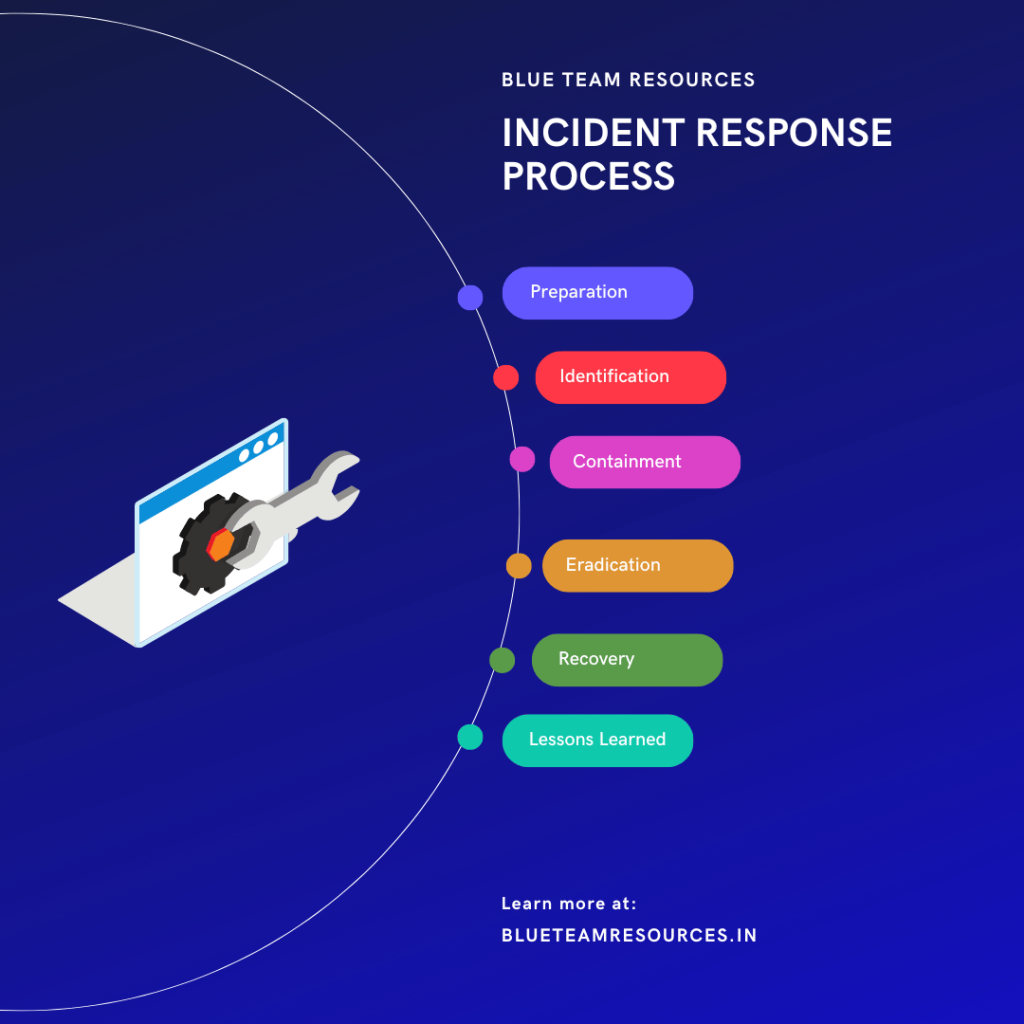

Mastering the Game: 10 Proven Incident Response Strategies for SOC Analysts Incident response is a critical aspect of cybersecurity, and the role of Security Operations Center (SOC) analysts in handling incidents cannot be overemphasized. This article presents ten proven incident response strategies for SOC analysts, along with a generalized playbook, the latest tools, and a… Continue reading 10 Proven Incident Response Strategies for SOC Analysts

Introduction to the SOC Alert Triage Process As a security professional, I’ve witnessed firsthand the importance of an effective Security Operations Center (SOC) alert triage process. The sheer number of alerts that an organization’s security systems generate can be overwhelming. It’s essential to have a systematic approach to managing and prioritizing these alerts to ensure… Continue reading Mastering the SOC Alert Triage Process: A Comprehensive Guide

Top 10 Essential Skills for SOC Analysts: Master Cybersecurity Operations 💪🔒 Discover the top 10 essential skills every Security Operations Center (SOC) Analyst must have to excel in the world of cybersecurity. In this video, we’ll dive deep into the core competencies required to become a successful SOC analyst and protect organizations from cyber threats.… Continue reading Video: Top 10 Essential SOC Analyst Skills: Master Them Now!




Where do you place a man-in-the-middle attack.
Hi Andrew. A Man-in-the-middle attack also knows as MITM for short comes under Network Based Attacks and I am coming up with a blog post for the same soon.